01Give each idea room
A task. A branch. A place to work.
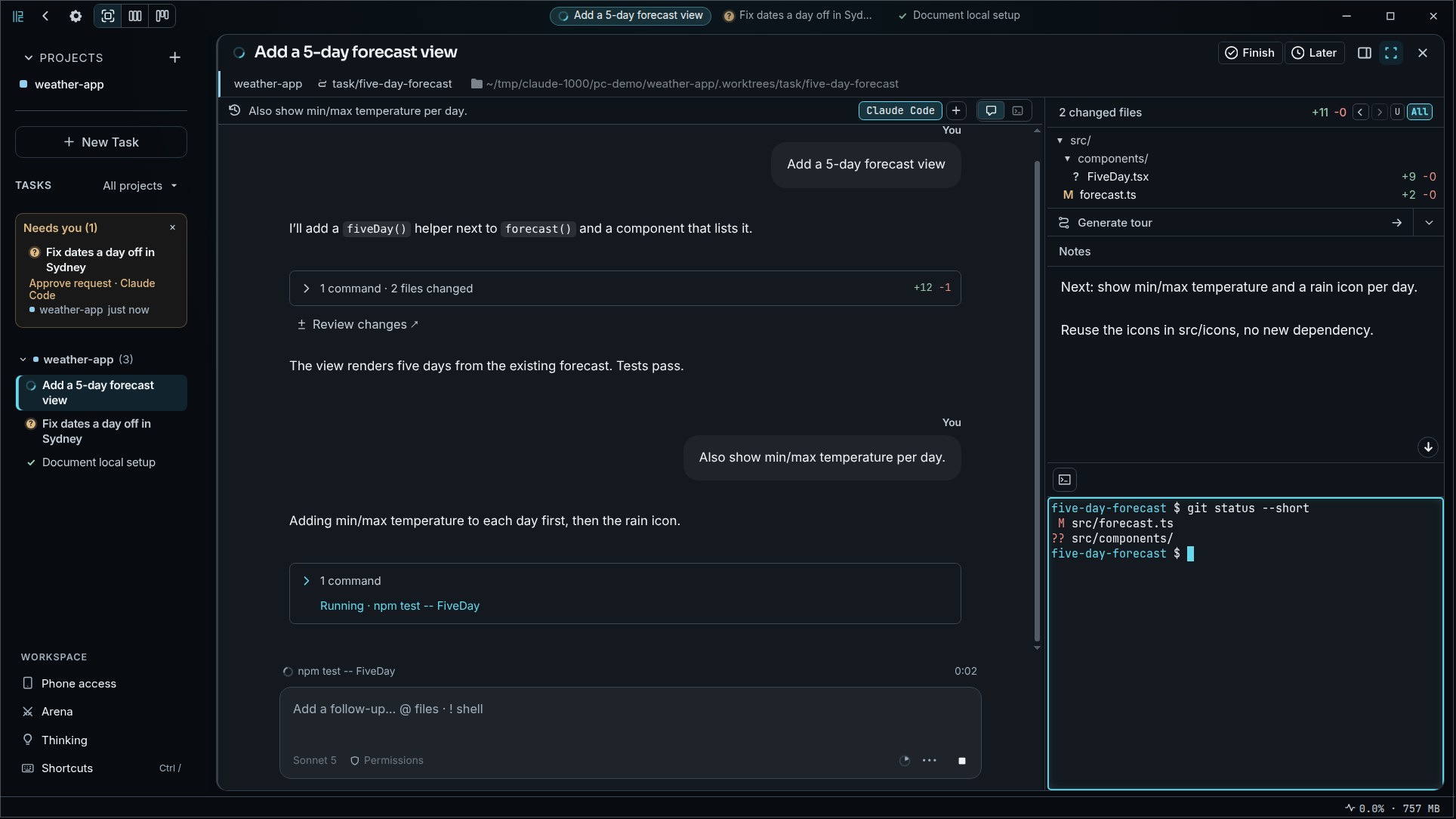
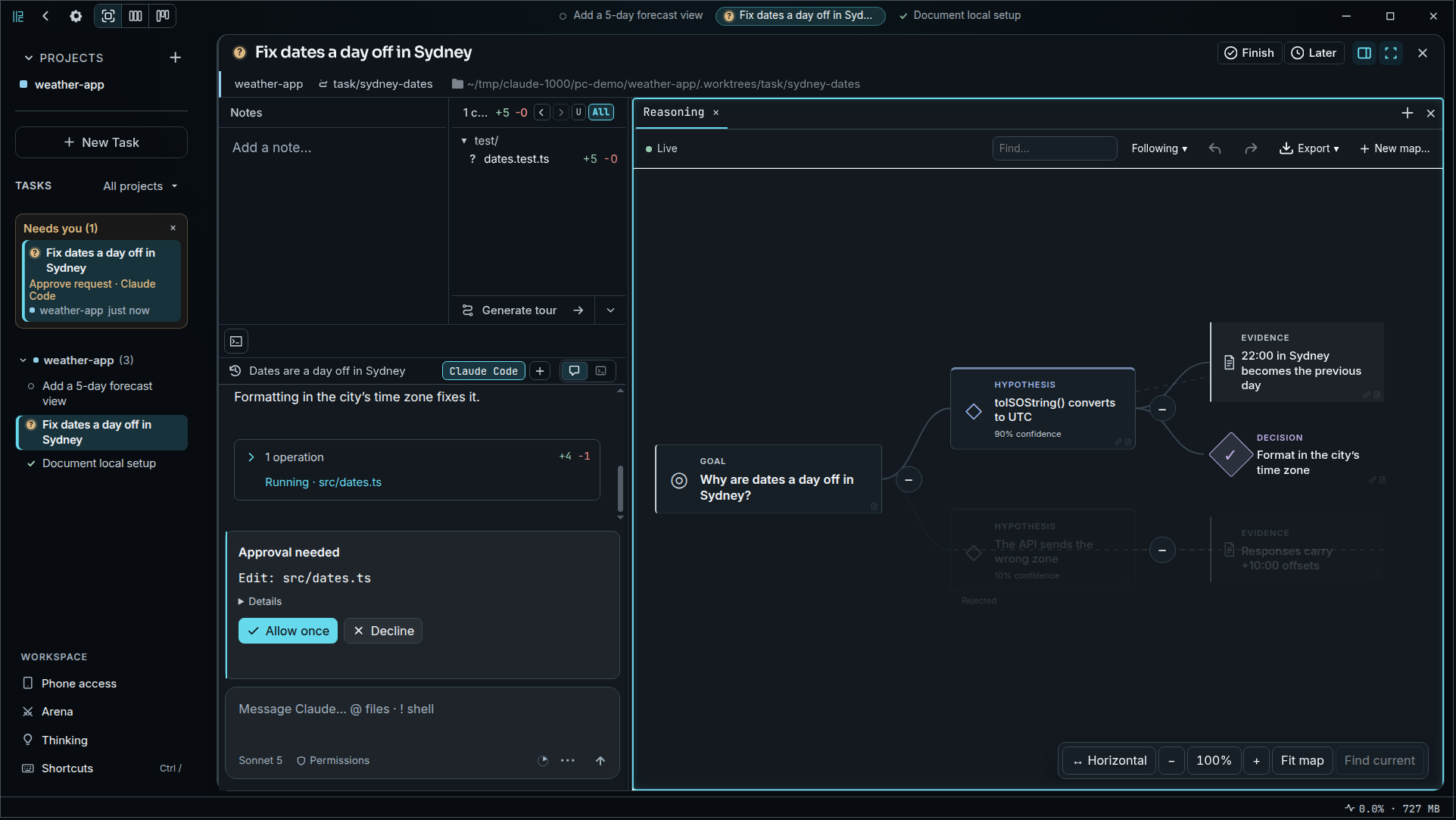
Send one agent after a bug while another builds your next feature. Each task gets its own branch and worktree, keeping active working copies separate.
Keep the final say.
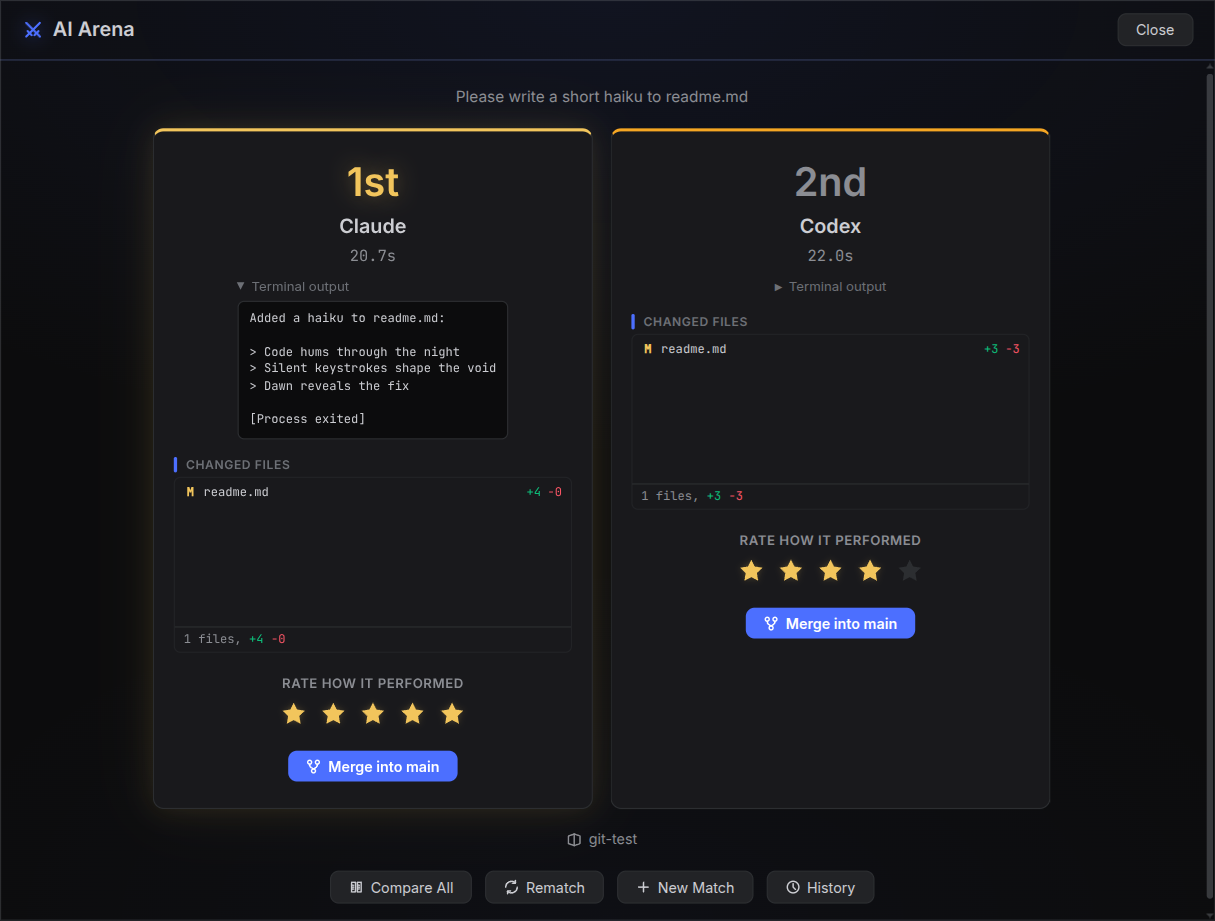
Your AI coding agents, side by side. Each task gets its own git worktree. Review the changes. Choose what ships.
Your favorite agents. One place to run them.
From prompt to reviewed code
01Give each idea room
Send one agent after a bug while another builds your next feature. Each task gets its own branch and worktree, keeping active working copies separate.
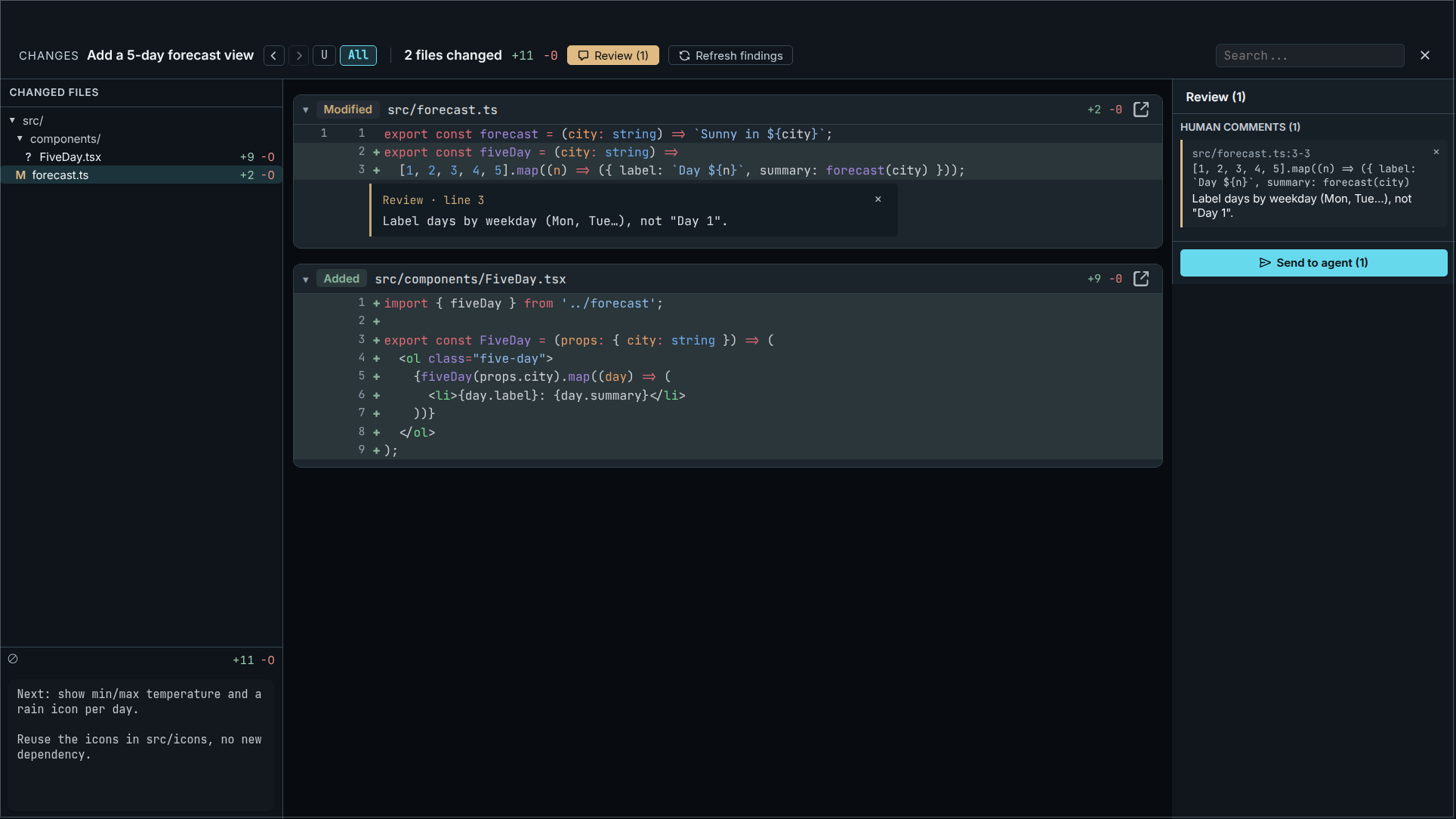
02Keep the final say
Read the diff. Leave a comment. Send it back to the agent. When you're happy with the result, choose what to merge.
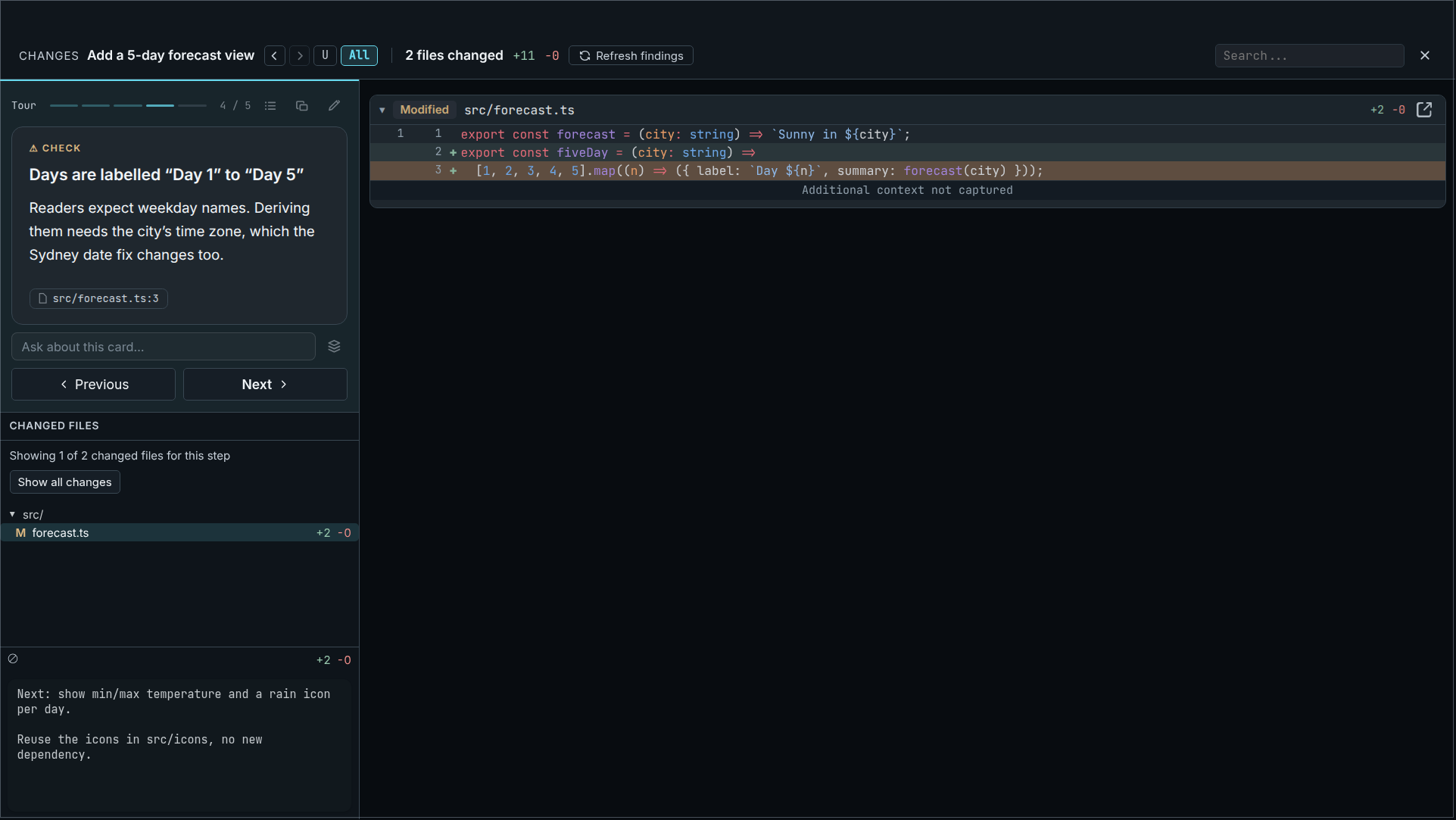
03See beyond the diff
Take a guided tour of a changed file or a whole branch. Ask follow-up questions at any stop, with the relevant code right beside you.
Keep VS Code, Cursor, JetBrains, or Sublime.
Run agent CLIs or use built-in Claude Code and Codex chat.
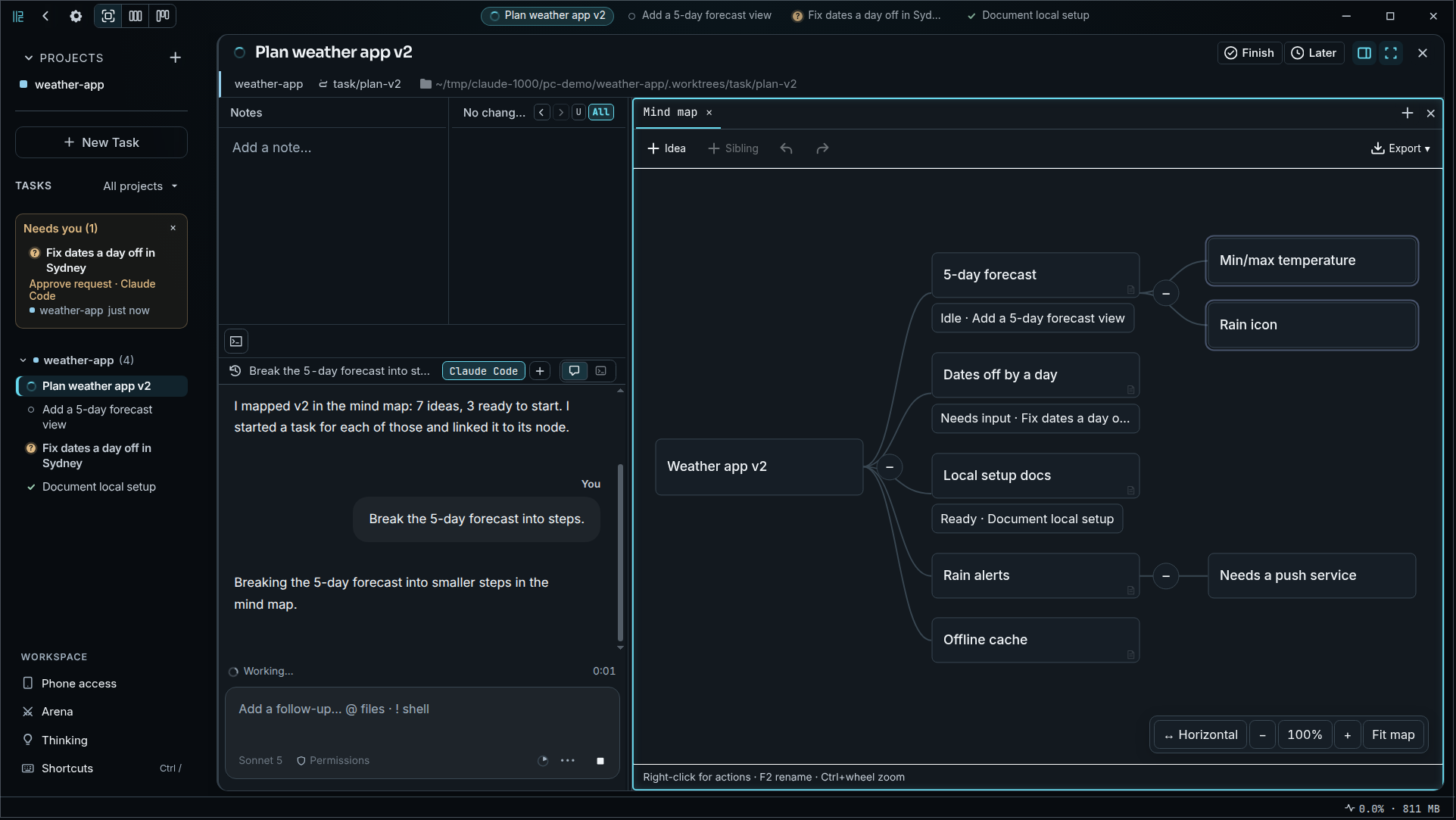
Mind maps and reasoning graphs, alongside your tasks.
Subtasks in separate worktrees, with results you can review.
Follow terminals and chats over Wi-Fi or Tailscale.
MIT licensed. Bring your own API keys.
Less overhead, more ownership
Your terminal agents and your editor, with the coordination taken care of.
| The workflow | Managing it yourself | With Parallel Code |
|---|---|---|
| Starting a task | Create a branch and set up a working copy. | Describe the task. Get a branch and worktree. |
| Following progress | Switch between individual terminal sessions. | Keep your agent sessions in one workspace. |
| Reviewing the result | Find the right branch and inspect its changes. | Open the task’s diff and leave inline comments. |
| Finishing up | Manage the branch and merge from your terminal. | Review, then merge from the sidebar. |
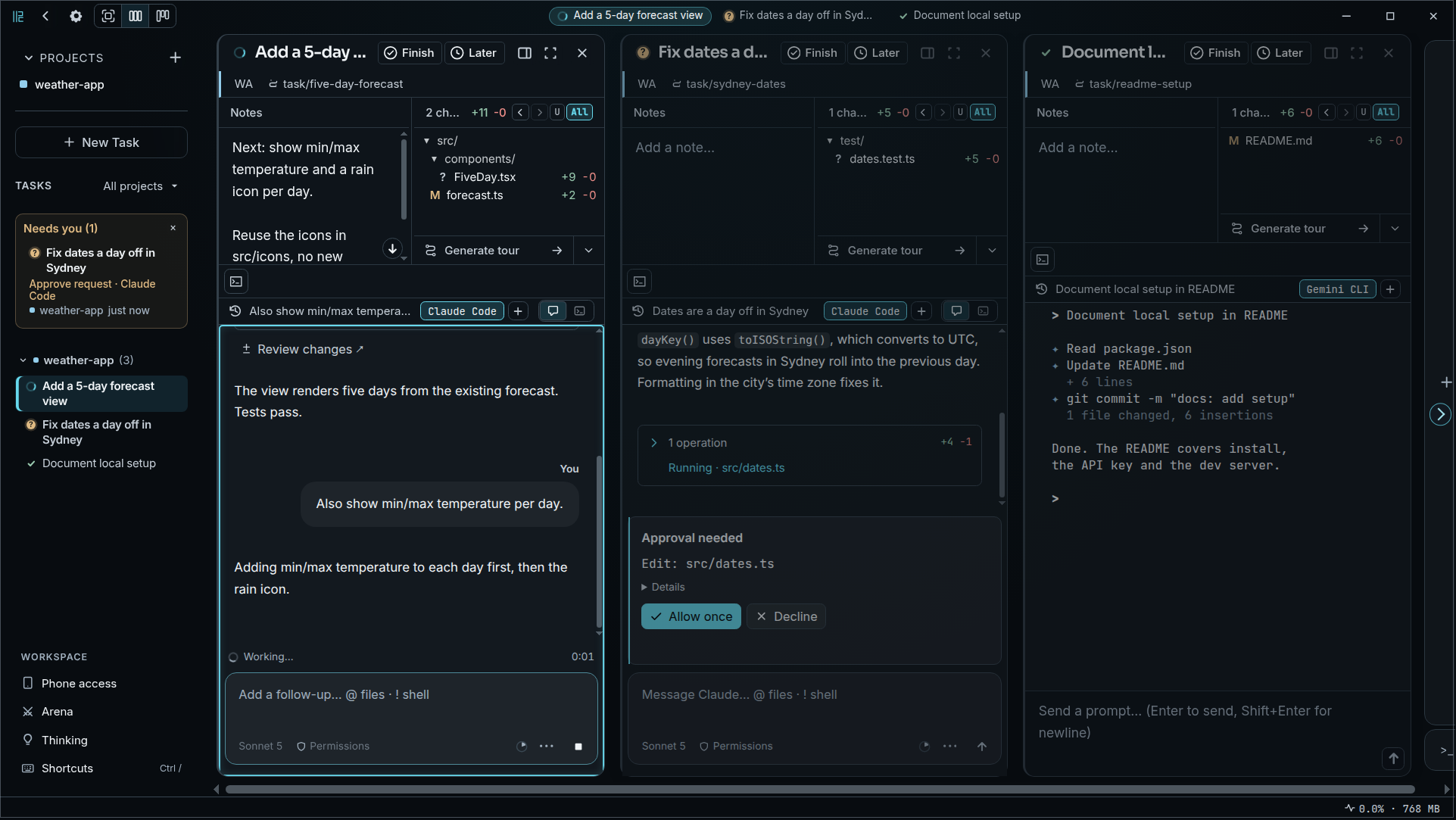
See it in action
Explore the workspace at your own pace: task views, inline reviews, guided tours, and room to think.
A few more things
Want to dig a little deeper?
Join the conversation on GitHubParallel Code is a standalone Electron app. Keep using your preferred editor — VS Code, Cursor, JetBrains, Sublime, whatever you like. It manages the agents and worktrees; your IDE handles the code.
Claude Code, Codex CLI, OpenCode, Copilot CLI, and Antigravity CLI out of the box. Any CLI-based coding agent that works in a terminal can be used.
Each task gets its own git branch and worktree, so agents do not overwrite the same working copy. Branches can still conflict later if they change the same code; review and resolve those integration conflicts before merging back to main.
macOS (universal .dmg) and Linux (.AppImage or .deb). Download from the GitHub releases page. There is no Windows build yet.
Each vendor's app runs that vendor's agent. Parallel Code puts Claude Code, Codex, Copilot and other terminal agents on one board, gives every task its own worktree, and runs the same review for all of them: inline comments sent back to the agent, a guided tour of the changes, and an optional review by a different model. Unlike Conductor, it is MIT licensed and runs on Linux as well as macOS. The comparison pages go into detail.
For subscription use, sign in to the unmodified Claude Code CLI installed on your computer and use it in Parallel Code's terminal. The optional built-in Claude chat is a separate integration through Anthropic's Agent SDK. Anthropic's authentication guidance directs third-party SDK integrations to use a Claude Console API key or a supported cloud provider, and restricts third-party use of Claude subscription credentials. Check Anthropic's legal and compliance page for the current requirements.
No. Parallel Code has no server and no account. Your code goes only to the agent CLIs you run and to the models you choose in Settings. Phone access connects straight to your computer over Wi-Fi or Tailscale.
Johannes Millan, who has maintained the open-source task manager Super Productivity since 2016. Parallel Code is mostly a one-maintainer project with a few outside contributors, so that risk is real. It is limited by design: the code is MIT licensed and can be forked, the agent CLIs work without it, and every task is an ordinary git branch and worktree you can keep using.
Yes. Parallel Code is free and open source under the MIT license. Your API keys stay yours — nothing is proxied or collected.
Your next idea doesn't have to wait
Put your agents to work. Keep the final say.